Python · Command line · AI agents
Build and understand
your KiCad projects.
kicad-tools gives developers and AI agents headless tools to inspect schematics, generate PCB designs, route connections, check the results and export manufacturing files. No running KiCad needed; commands answer in JSON. Explore the examples below to see the work and the evidence behind it.
pip install kicad-tools
10 boards · 9 with generated artifacts · PyPI v0.27.0
Quick start
Requires Python 3.10 or newer. KiCad's kicad-cliis optional; only the commands that wrap it (such as kct erc,kct drc and kct export-formats) need it.
Install
pip install kicad-tools
kct --version
Optional extras:
Installation guide[mcp]for the agent server,[native]for the C++ router backend (kct build-native),[all]for everything.Inspect and check
kct symbols project.kicad_sch
kct nets project.kicad_sch --format json
kct bom project.kicad_sch --format csv
kct check board.kicad_pcb --mfr jlcpcb
CLI referencekct checkis a pure-Python design-rule check against a manufacturer profile; add--format jsonfor a machine-readable report.Connect an agent
pip install "kicad-tools[mcp]"
kct mcp setup --client claude-code
kct skills install
kct agent-guide
Registers the MCP server, installs the
Harness setupkctskills and prints the agent primer. Use--client/--harnesscodexoropencodefor other harnesses.
From design data to checked copper
v0.27.0Use the CLI for a single check, the Python API for a repeatable workflow, or the MCP server to give an agent access to your design tools.
Inspect and automate
Parse and edit KiCad 8+ schematics and PCBs in pure Python, with no running KiCad. Query symbols, nets, footprints and hierarchy; commands that produce a result accept
--format json.kct nets project.kicad_sch --net VCCPython examplesJSON output contractPython API referenceBuild from a spec
kct buildruns a.kctproject spec through schematic generation, ERC, PCB generation, placement, routing, verification and export, one step at a time or all at once. Circuit blocks add MCU, power, USB and debug-header sections in code. Each demo board below has aproject.kctspec and a generation recipe in the repository.kct build project.kct --step allSchematic-to-PCB workflowCircuit blocksPlace and route
Generate layouts and route connections with configurable design rules. Automated routing is experimental; inspect connectivity and clearance results for each design. Differential-pair skew and match-group length tuning are available, and
kct retune-lengthsre-tunes an already routed board. The C++ backend speeds up the router 10–100x.kct route board.kicad_pcbRouting guideDifferential pairsMatch groupsRecorded external-board attemptsCheck the design
Run geometric checks, electrical-rating analysis, 3D model coverage and high-voltage creepage audits, and scope findings to a region, references or nets. These checks support design review; they do not certify hardware.
kct readinessrecords sign-off evidence (with known issues) per board, and sign-off commands reportverdictandexit_codein JSON. The gallery shows each board's own evidence; a passing check is not a fabrication guarantee.kct check board.kicad_pcb --mfr jlcpcb --refs U1,U2DRC and validation guideDesign-check examplesBoard evidence in the galleryParts and manufacturing
Look up LCSC/JLCPCB parts, check BOM availability and find Basic-part alternatives, online or from an offline catalog.
kct exportwrites a fab bundle (Gerbers, BOM, placement, report and manifest) for a manufacturer profile, andkct export-formatsadds PDF, SVG, STEP, IPC-2581 and ODB++ throughkicad-cli.kct export board.kicad_pcb --mfr jlcpcbManufacturing export guideParts lookupWork with an agent
The MCP server exposes 50 tools for board inspection, placement sessions, routing, checks, parts and export. 7 packaged
kctskills install for Claude Code, Codex CLI and opencode; the skill text is shared, so every harness gets the same workflows.kct mcp setup --client codexMCP serverWhat each harness needsPackaged skills
Agent skills
Shipped in the wheel and installed with kct skills install. Invocation syntax varies by harness; Claude Code's is shown.
/kct:board-recipe-scaffoldScaffold a new consumer board recipe (generate_design.py) following the artifact-first convention — a project → schematic+ERC → PCB → route+pour → check → LVS-hard-gate → export pipeline with circuit-specific parts left as fill-in points./kct:ee-reviewProduce an EE decision document (escalating intervention ladder + binding constraints, cited and confidence-graded) for an analog/placement-blocked board./kct:helpExplain the installed kct skills — what each does, how to invoke it, and the load-bearing conventions — by reading the files actually vendored in this repo./kct:hv-isolation-loopDrive the HV-isolation / creepage design loop on a mains/high-voltage board — voltage-domain capture → per-pair creepage targets → HV plane-voids → HV-aware placement → route/reinforce → creepage + Kelvin + refill-zones gates → EE decision + fab sign-off handoff./kct:layout-journalKeep a LAYOUT_NOTES.md journal for a hand-routing session so the reasoning behind manual copper survives across reboots and hand-offs — decisions, rip-ups, referee results, and open blockers, all tied to the committed artifact./kct:manufacturing-readinessSign off a routed board for fabrication — run kct check, the mandatory kicad-cli pcb drc --refill-zones cross-gate, and a kct export bundle at the board's fab tier — and refuse sign-off if any gate is skipped./kct:tapeoutProduce a complete, fab-ready export bundle for a routed board — or refuse loudly.
Demo boards
Reference designs that exercise the workflow. Each board reports its own available artifacts and validation; inclusion here is not a readiness claim.
 Assembly ready
Simple LED - Hello World
Simple LED - Hello World Minimal LED circuit 5V input, 330 ohm resistor, LED
Current evidence passes the assembly release checks; this does not establish tested hardware performance.
Checked
- zone fill: passed
- Connectivity and design checks: passed
- Native design rules (DRC): passed
- native refilled drc: passed
- lvs: passed
- warning review: passed
- Manufacturing artifacts: passed
- Bill of materials: passed
Passed: this check passed for the recorded files. Failed: this check found a problem. Not run: no result was established. Unlisted checks have no reported result.
- Interactive view
- Nets100.0%
- DRC0 violations
- Layers2L
- Parts3
- 3D models100%
- Cost$2.55 ea
 Assembly ready
Voltage Divider Test
Voltage Divider Test Simple 2-resistor voltage divider 5V -> 2.5V (10k/10k)
Current evidence passes the assembly release checks; this does not establish tested hardware performance.
Checked
- zone fill: passed
- Connectivity and design checks: passed
- Native design rules (DRC): passed
- native refilled drc: passed
- lvs: passed
- warning review: passed
- Manufacturing artifacts: passed
- Bill of materials: passed
Passed: this check passed for the recorded files. Failed: this check found a problem. Not run: no result was established. Unlisted checks have no reported result.
- Interactive view
- Nets100.0%
- DRC0 violations
- Layers2L
- Parts4
- 3D models100%
- Cost$2.69 ea
 Assembly ready
ATtiny85 Charlieplex LED Grid
ATtiny85 Charlieplex LED Grid
Current evidence passes the assembly release checks; this does not establish tested hardware performance.
Checked
- zone fill: passed
- Connectivity and design checks: passed
- Native design rules (DRC): passed
- native refilled drc: passed
- lvs: passed
- warning review: passed
- Manufacturing artifacts: passed
- Bill of materials: passed
- firmware: passed
- smt drill clearance: passed
- native erc: passed
Passed: this check passed for the recorded files. Failed: this check found a problem. Not run: no result was established. Unlisted checks have no reported result.
- Interactive view
- Nets100.0%
- DRC0 violations
- Layers2L
- Parts19
- 3D models100%
- Cost$3.77 ea
 Assembly ready
USB joystick controller — ATmega32U4
USB joystick controller — ATmega32U4 USB bus powered, 8MHz crystal, AVR ISP programming GPIO and ADC map is fixed to Microchip TQFP-44 pinout
Current evidence passes the assembly release checks; this does not establish tested hardware performance.
Checked
- zone fill: passed
- Connectivity and design checks: passed
- Native design rules (DRC): passed
- native refilled drc: passed
- lvs: passed
- warning review: passed
- Manufacturing artifacts: passed
- Bill of materials: passed
Passed: this check passed for the recorded files. Failed: this check found a problem. Not run: no result was established. Unlisted checks have no reported result.
- Interactive view
- Nets100.0%
- DRC0 violations
- Layers4L
- Parts38
- 3D models100%
- Cost$7.23 ea
 Assembly ready · 1 known issue
STM32F103C8 Development Board
STM32F103C8 Development Board End-to-end design example Demonstrates circuit blocks API
Current evidence passes the assembly release checks; this does not establish tested hardware performance.
Checked
- Connectivity and design checks: passed
- Native design rules (DRC): passed
- Manufacturing artifacts: passed
- Bill of materials: passed
- via process: passed
Passed: this check passed for the recorded files. Failed: this check found a problem. Not run: no result was established. Unlisted checks have no reported result.
- Interactive view
- Nets100.0%
- DRC0 violations
- Layers2L
- Parts17
- 3D models100%
- Cost$4.26 ea
 Assembly ready · 1 known issue
Sensored BLDC Controller
Sensored BLDC Controller
Current evidence passes the assembly release checks; this does not establish tested hardware performance.
Checked
- Bill of materials: passed
- Connectivity and design checks: passed
- Native design rules (DRC): passed
- Manufacturing artifacts: passed
- source reconstruction: passed
- firmware: passed
- smt drill clearance: passed
- 45 alignment: passed
Passed: this check passed for the recorded files. Failed: this check found a problem. Not run: no result was established. Unlisted checks have no reported result.
- Interactive view
- Nets100.0%
- DRC0 violations
- Layers4L
- Parts42
- 3D models100%
- Cost$7.67 ea
 Assembly ready
Four-channel LVDS link demonstrator
Four-channel LVDS link demonstrator
Current evidence passes the assembly release checks; this does not establish tested hardware performance.
Checked
- Connectivity and design checks: passed
- Native design rules (DRC): passed
- Manufacturing artifacts: passed
- Bill of materials: passed
- drill pad overlap: passed
Passed: this check passed for the recorded files. Failed: this check found a problem. Not run: no result was established. Unlisted checks have no reported result.
- Interactive view
- Nets100.0%
- DRC0 violations
- Layers4L
- Parts36
- 3D models100%
- Cost$9.81 ea
 Assembly ready
Board 07 real SDRAM memory test
Board 07 real SDRAM memory test
Current evidence passes the assembly release checks; this does not establish tested hardware performance.
Checked
- Connectivity and design checks: passed
- Native design rules (DRC): passed
- Manufacturing artifacts: passed
- Bill of materials: passed
- electrical: passed
- physical geometry: passed
Passed: this check passed for the recorded files. Failed: this check found a problem. Not run: no result was established. Unlisted checks have no reported result.
- Interactive view
- Nets100.0%
- DRC0 violations
- Layers6L
- Parts43
- 3D models100%
- Cost$9.37 ea
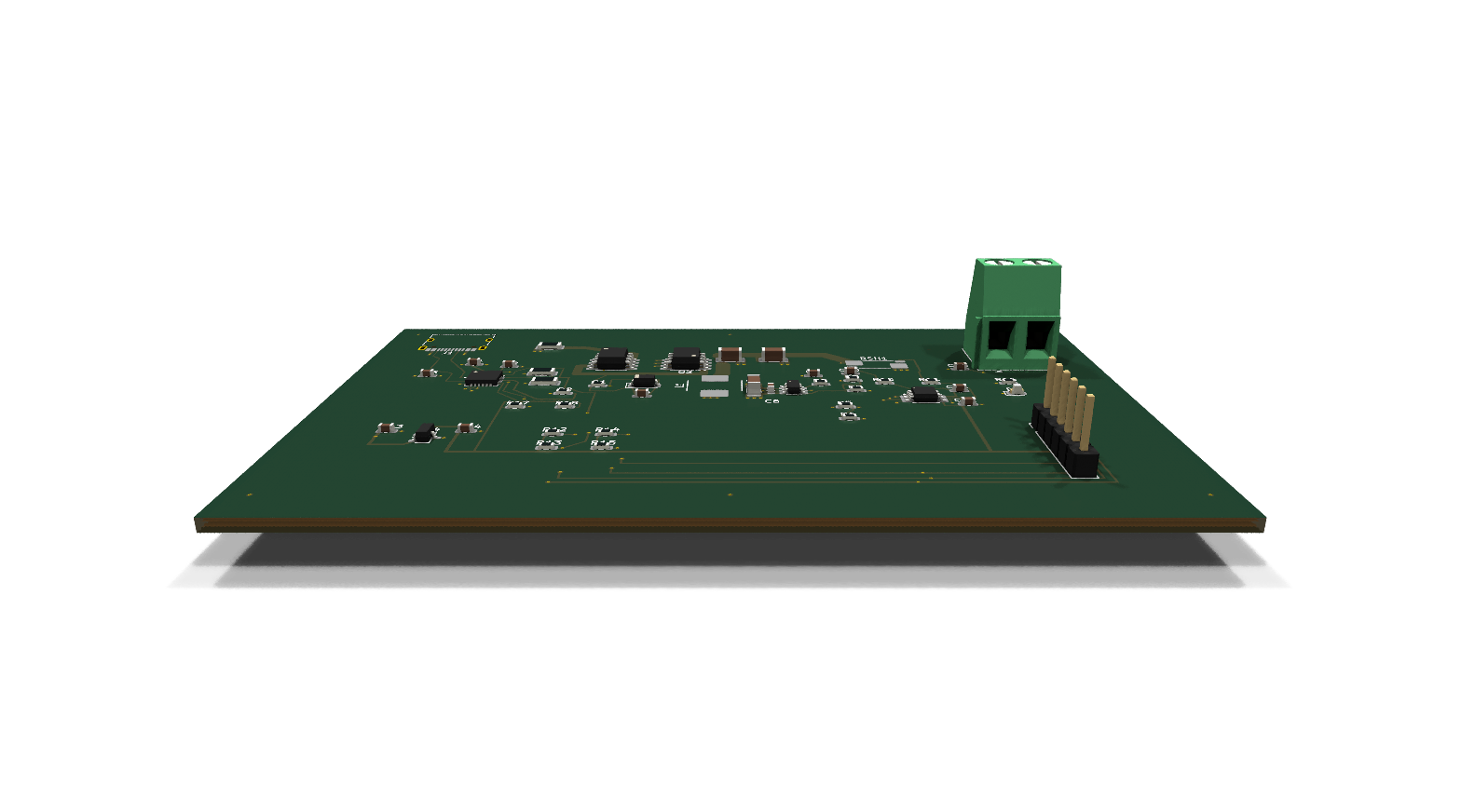
 Readiness unverified
Four-channel precision acquisition
Four-channel ADS131M04IPWR acquisition with a socketed Pico H USB host. Pin/package interface and nominal 8 kSPS transfer budget checked; analog circuitry, procurement and PCB implementation pending.
Current readiness evidence is missing, invalid, or no longer matches the checked files.
 Needs work
USB-C PD 5V power supply — development
Standalone USB-C PD sink and 5 V / 3 A target buck regulator with I2C voltage/current telemetry. Switching-loop placement, Kelvin sensing, ampacity and thermal construction demonstration. Hardware performance unverified.
Current evidence records failed or incomplete release requirements.
Checked
- Electrical rules (ERC): passed
- Native geometry rules (DRC): passed
- critical routes connected: passed
- inner ground planes valid: passed
- all nets connected: passed
- Schematic labels (LVS): passed
- Copper connectivity (LVS): passed
- Analytical screening: passed
- Manufacturer rules: failed
- Manufacturing release: not run
Passed: this check passed for the recorded files. Failed: this check found a problem. Not run: no result was established. Unlisted checks have no reported result.
- Interactive view
- Export DRC0 violations
- Layers4L
- Parts47
- 3D models100%